copy

CASE STUDY

Senimory, an AI asset library designed and built solo

A live marketplace for AI generated photos, 3D icons and illustrations, with a copy-paste component toolkit on the side. I wrote the design system as a spec, pointed AI at it, and shipped the customer app, the admin back office and the API behind them.

AI-Native Workflow Design System React + Cloudflare Marketplace & SaaS

ROLE

Design and build

SCOPE

Brand to deployment

PLATFORM

Responsive web app

INDUSTRY

Creative assets, SaaS

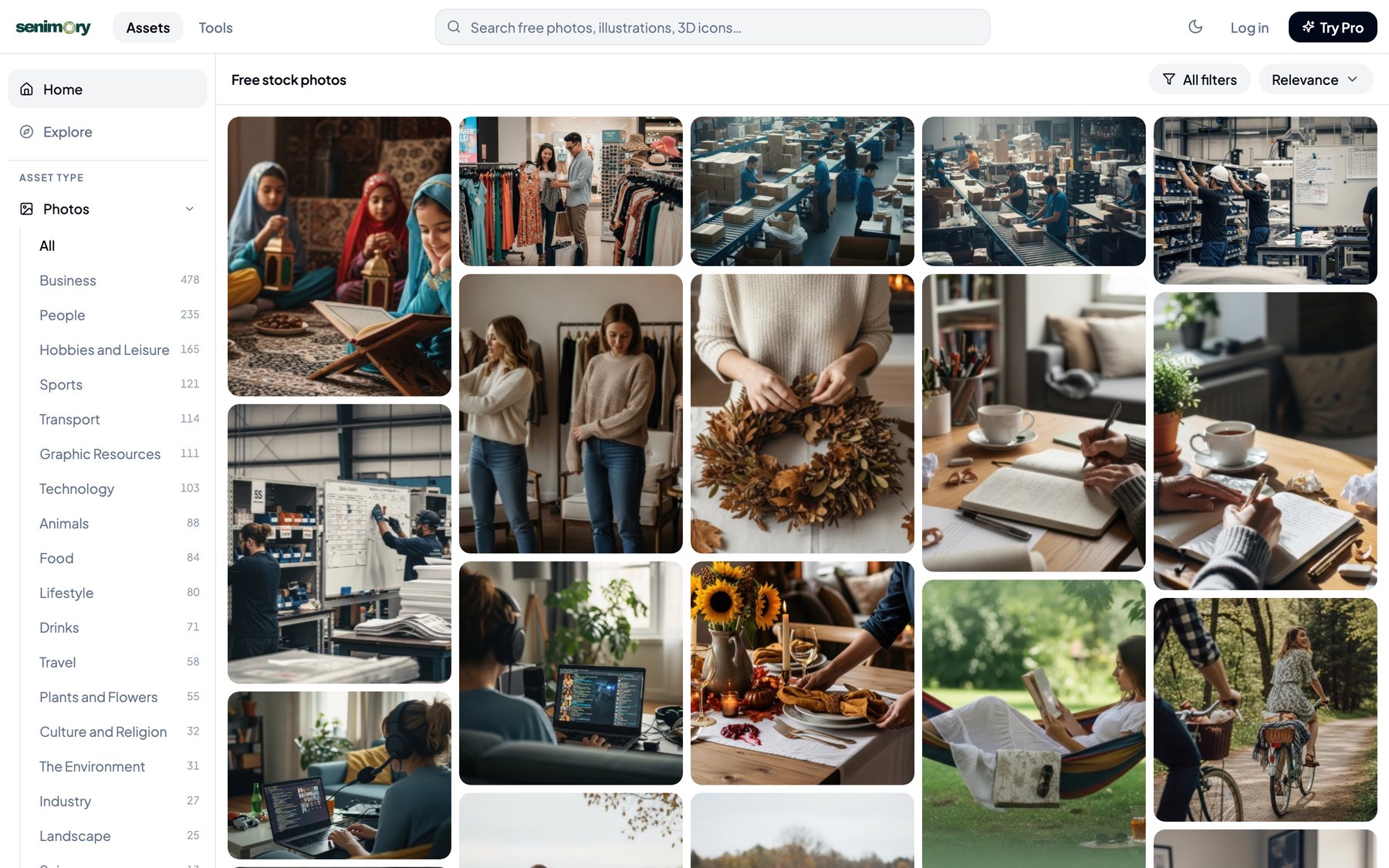
Senimory asset library with the category sidebar and masonry photo grid

OVERVIEW

One designer, one spec, one working product

Senimory is a searchable library of AI generated creative assets: around 1,900 photos across 21 categories, a growing set of 3D icons and illustrations, and a toolkit of 110 animated UI components you can copy straight into a codebase. It is live, with accounts, download quotas, a paid tier and an admin back office.

Most work of this size is split across a designer, a front-end developer and someone looking after the back end. Here I owned all of it: the brand, the design system, every screen on the customer side, the admin tooling, and the React front end on top of a Cloudflare API.

The interesting part is not that one person did it. It is that one person could, because the design system was written to be executed by AI rather than interpreted by a team. Everything shown below is the live product at senimory-com.pages.dev, not a concept.
THE AI NATIVE PART

How AI actually sat in the process

The design system is a spec, not a Figma file

Before a component existed I wrote design.md: colour and gradient tokens, radii, elevation, backdrop blur, spacing, motion curves, accessibility rules. The file opens with instructions telling the model to read all of it first and never invent a value outside the spec. That single decision is why screen ten matches screen one.

AI generated, I directed

Components came out of prompts written against that spec, in code rather than static frames. I reviewed every file, kept what matched the system and rewrote what did not. The judgement never moved: hierarchy, empty and error states, what to leave out.

The product ships AI output

Senimory sells AI generated media, so generation sits inside the business rather than beside it. Curation, tagging and quality control are the design work that makes an endless library usable.

The toolkit exports AI ready prompts

Every component can be copied as React, as a Framer override, as plain CSS, or as a structured prompt for Lovable and other AI builders. The export is a design decision: hand the next tool something it can actually use instead of a screenshot.

PRODUCT SURFACE

Two products behind one login

Customer side

✓ Library with masonry grid, hover copy and save
✓ Search, category filters and sort across 21 photo categories
✓ Asset page with background toggle, zoom and related assets
✓ Accounts, favourites, download history and notifications
✓ Free tier at 5 downloads a day, Pro at $9 a month
✓ Light and dark themes with a system preference fallback

Admin side

• Dashboard for platform health and recent activity
• Asset management: upload, variants, thumbnail regeneration, publish
• User management with roles, quotas and per user detail
• Analytics, system status and platform settings
• Blog and template CMS feeding the SEO content
• Role based access, so the customer app and back office share one auth layer
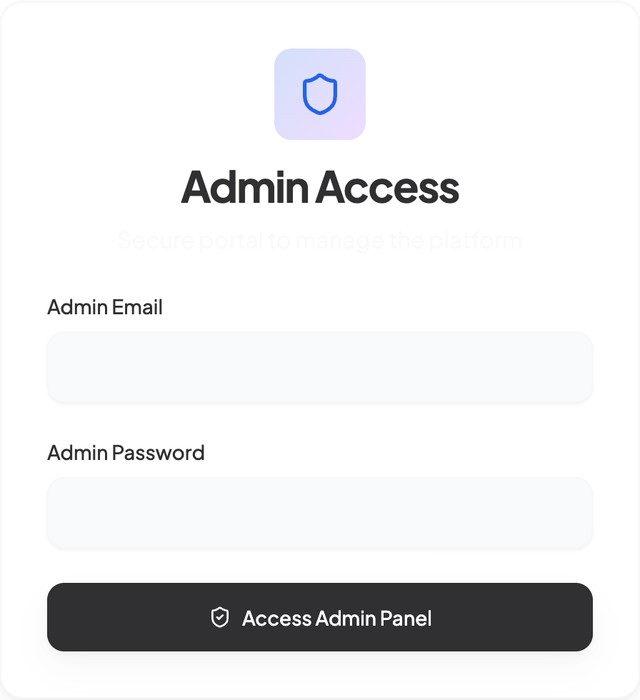
Senimory admin access screen

A separate, role-gated entry

The back office lives behind its own login, so nothing from the admin surface can leak into the customer app.

SELECTED SCREENS

A library, a toolkit and a back office in one system

Senimory home library with sidebar categories

Library

A masonry grid carries the product. Categories live in a persistent sidebar so filters never hide the work.

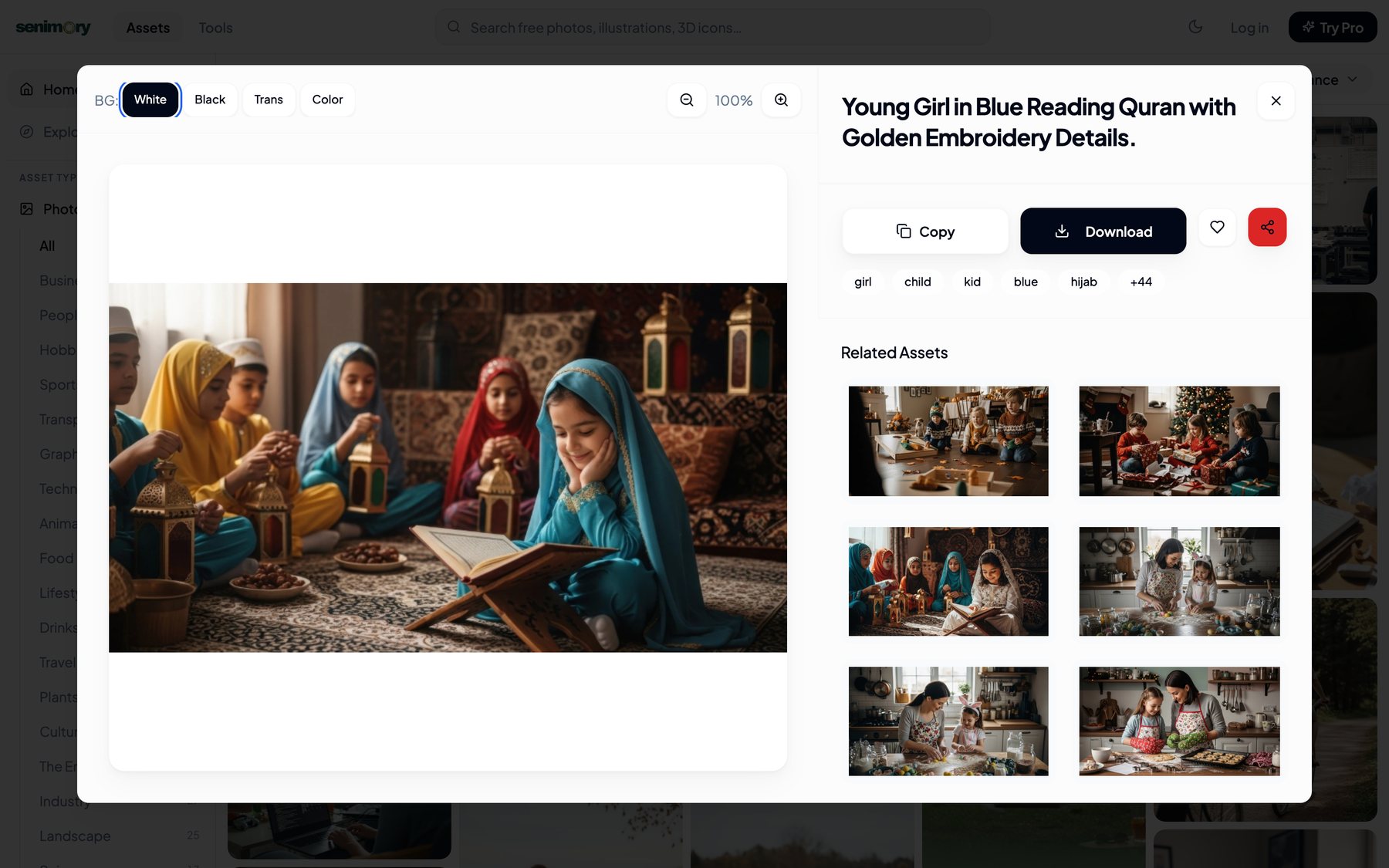
Senimory asset detail page with background toggle and related assets

Asset page

Checkered, white, black or colour backgrounds and a zoom control, so designers can judge the asset before downloading it.

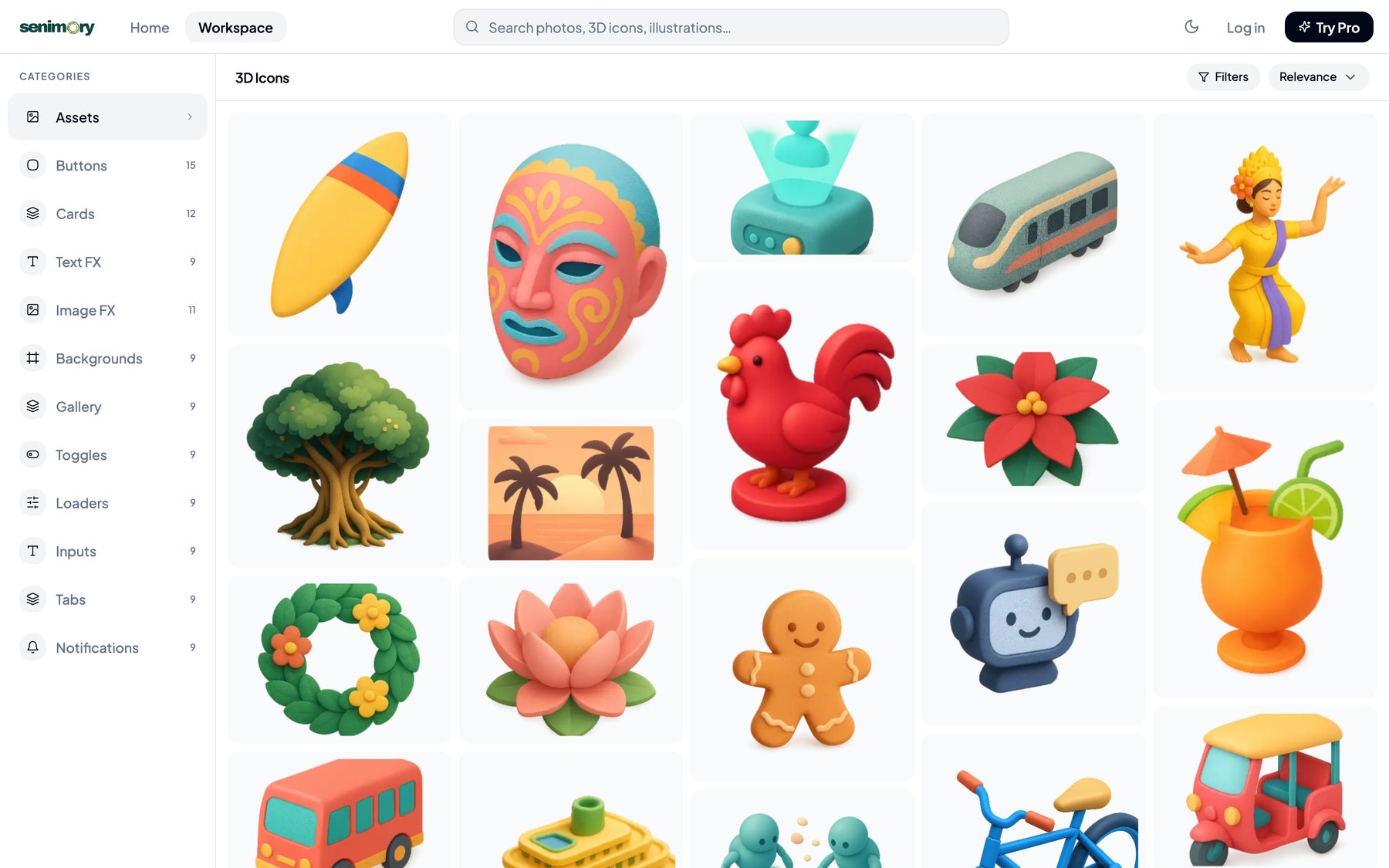
Senimory 3D icon collection

3D icons

A culturally specific set, from Barong masks to Bali dancers, built to fill a gap the generic libraries leave open.

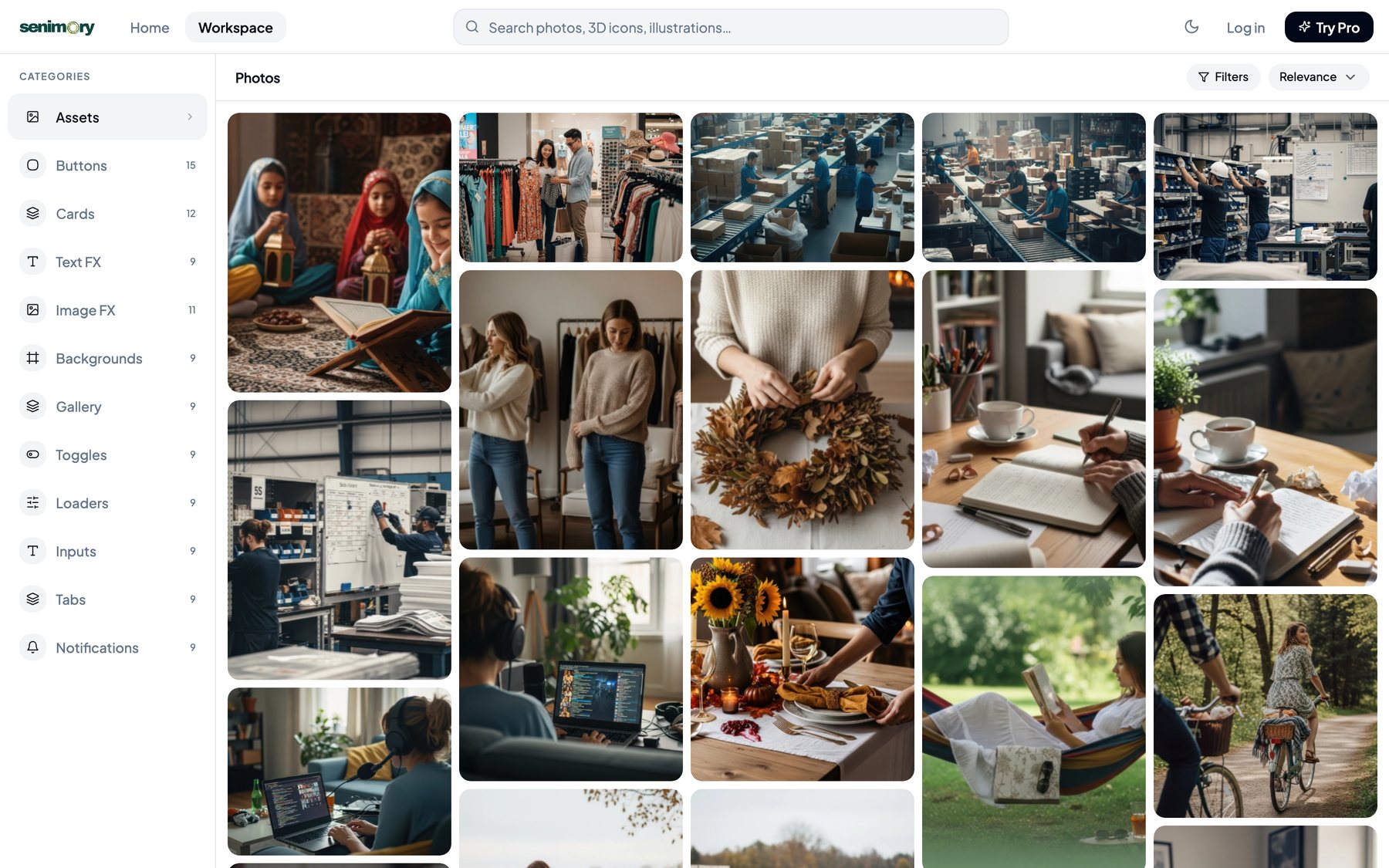
Senimory workspace with creative component categories

Workspace

The asset library and the component toolkit share one navigation model, so two products do not read as two websites.

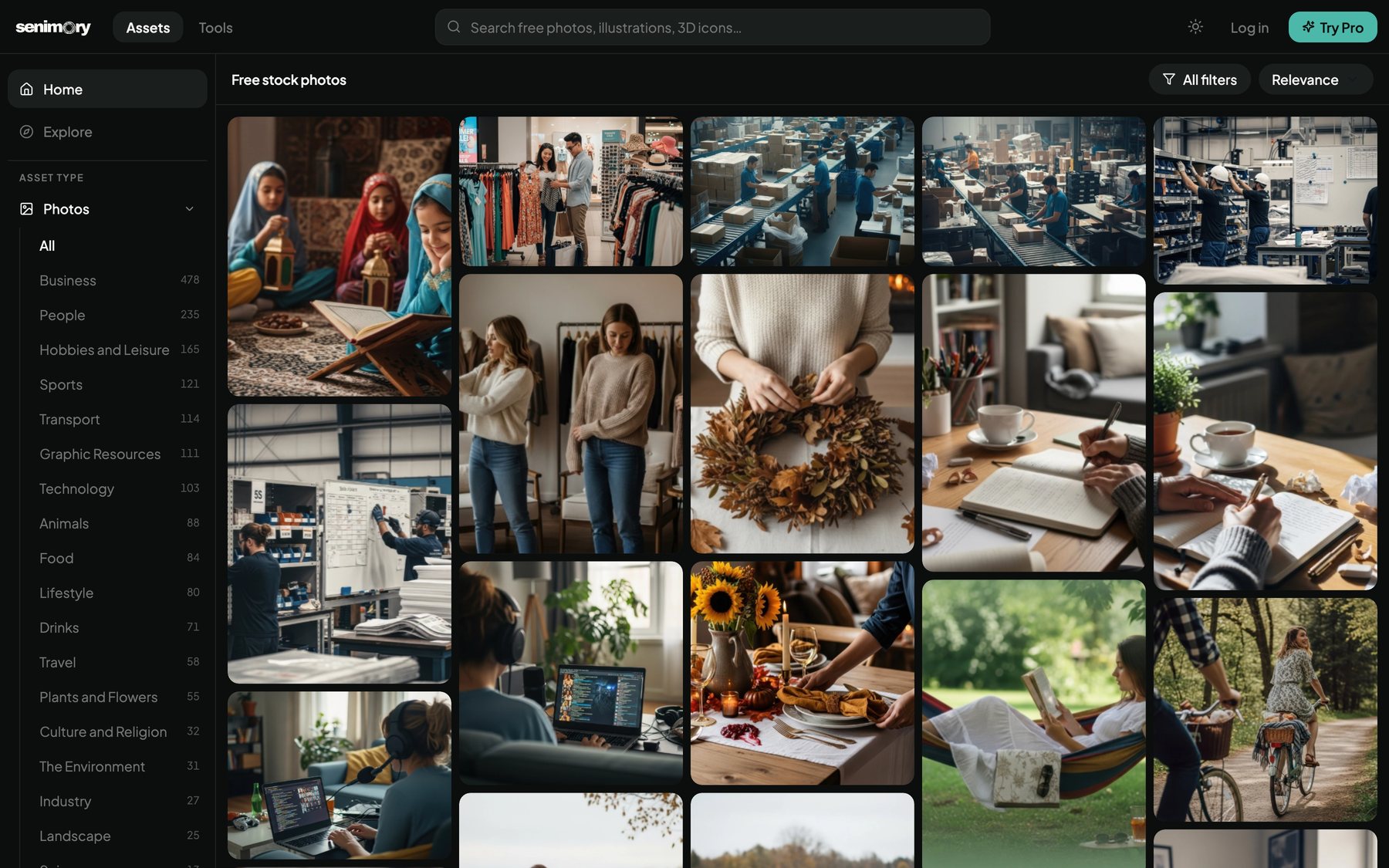
Senimory dark theme

Dark theme

Every token has a dark counterpart. Nothing is inverted, and the imagery keeps its own colour.

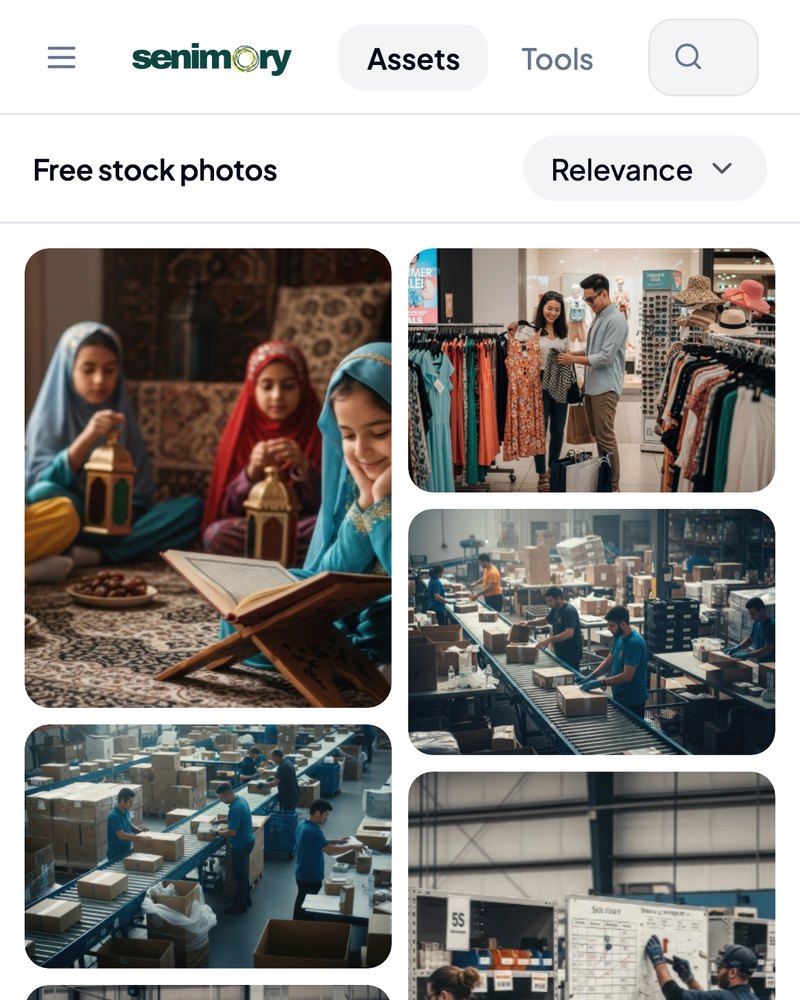
Senimory on a mobile device

Mobile

The same grid, collapsed to a two column flow with the sidebar promoted to a sheet.

THE TOOLKIT

A playground that hands you the code

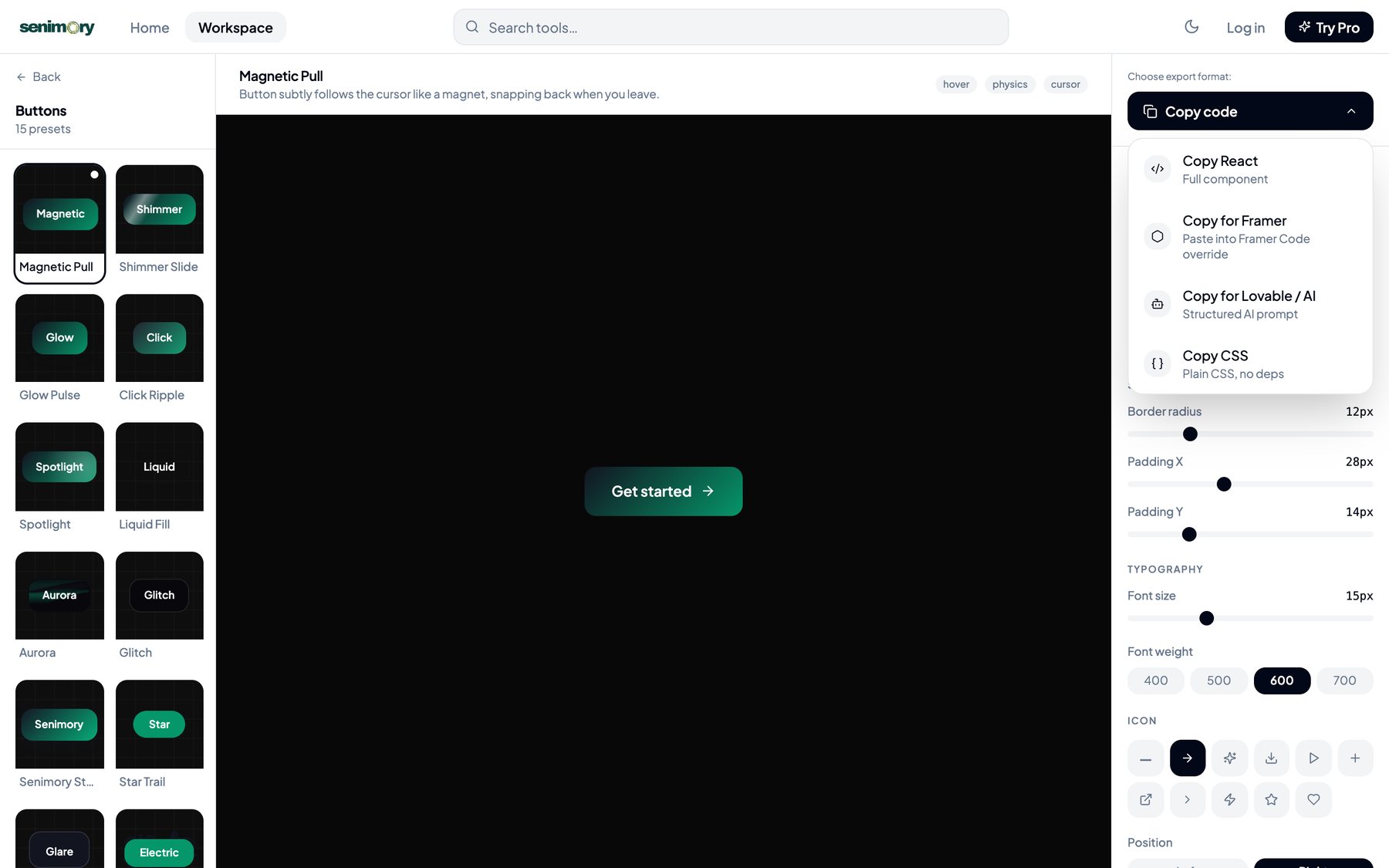
The tools section is a live editor, not a gallery. Pick one of 110 presets across buttons, cards, loaders, text effects, backgrounds, toggles, inputs, tabs and notifications, then adjust radius, padding, type, icon and colour on the right while the component updates in place.

Then take it away in whichever form the next step needs: React for a codebase, a Framer override, plain CSS with no dependencies, or a structured prompt for Lovable and other AI builders. That last one is the point. A designer using AI does not need a picture of a button, they need something the tool can build from.

Copy code menu offering React, Framer, Lovable AI prompt and CSS exports

Four export formats

React, Framer override, structured AI prompt, or dependency free CSS.

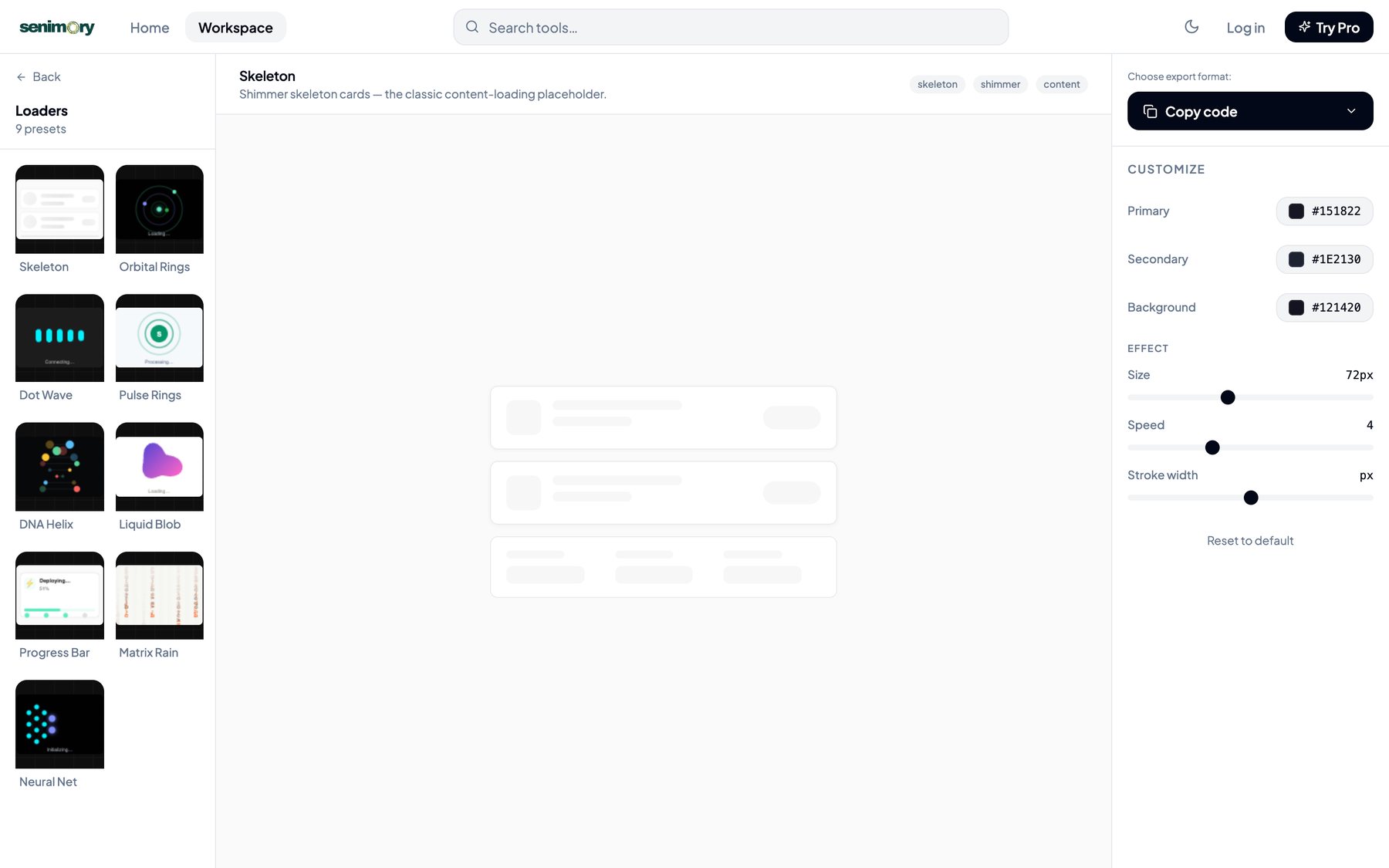
Loader presets with live customisation controls

Live customisation

Colour, size, speed and stroke width are editable, and the code follows.

BY THE NUMBERS

What is actually in the product

1,900+ AI photos
21 Photo categories
110 Component presets
4 Code exports

All four numbers are counted from the live product, not from a plan.

UNDER THE HOOD

A real system, not a static page

The front end is React and TypeScript with a token driven theme layer. Behind it, a Cloudflare Workers API handles authentication, quotas and asset delivery, with D1 for the database and R2 for media.

Subscriptions run through LemonSqueezy webhooks, transactional email through Resend, and error tracking through Sentry. A nightly job resets download quotas. Search, categories and asset pages are generated from the same data the admin edits, which is why the library can grow without a designer shipping a new build.

The parts that look simple are the parts that took longest: permission checks so the admin never leaks into the customer app, quota logic that fails politely, and empty states that still look like the product.

NEXT PROJECT

Von Marley Kennel →

A real client site built to earn trust before it asks for a message